
How Axon Merges Multiple Data Sets in Power BI
In this article will look under the hood to walk you through the design from the end back to the start so you can see how the architecture works and why we’ve built it this way.
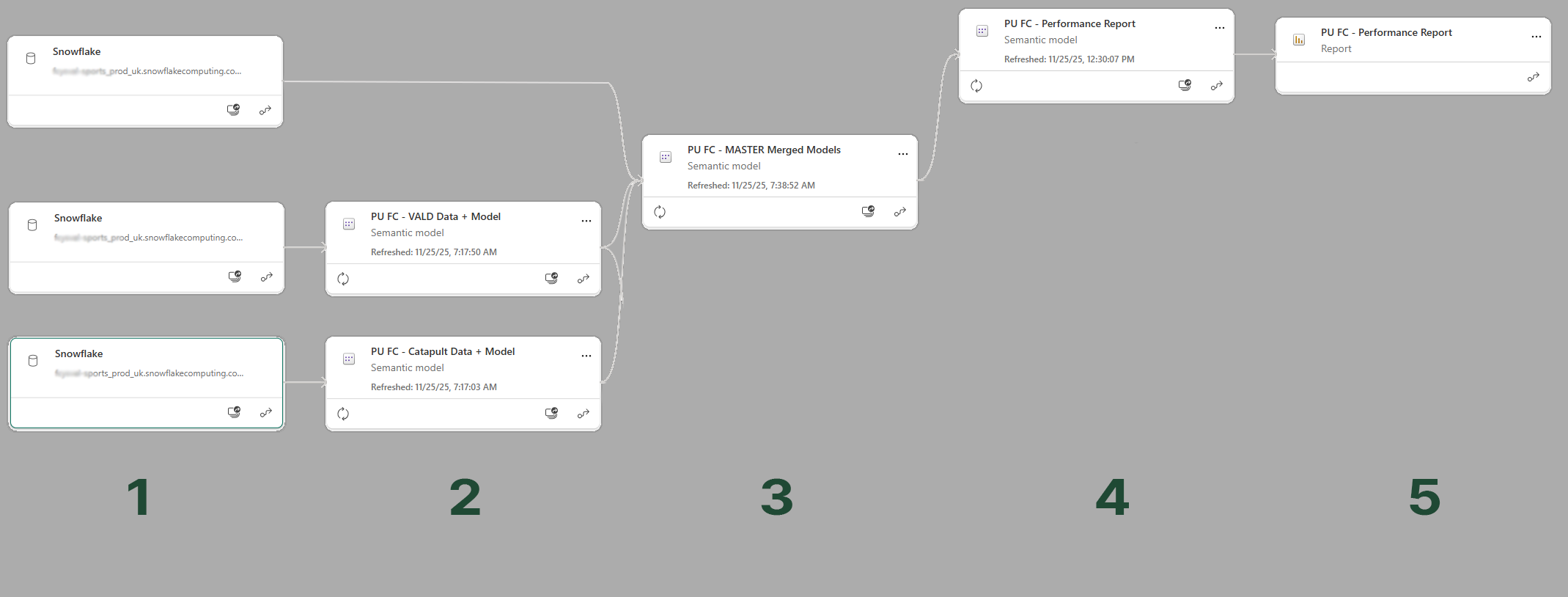
Starting at the End: Stage 3
Let’s begin with Stage 3, because this is where the merged view comes together.
Stage 4 connects to Stage 3 using DirectQuery rather than Import mode. That means the semantic model in Stage 4 is always an exact representation of Stage 3. Stage 4 is just presenting what Stage 3 has already prepared.
The model shown at this stage contains the full set of Axon data from Snowflake alongside DirectQuery links to the individual data sources.
The Axon HQ Tables
Axon HQ, Dimensions, and the FactLink Structure
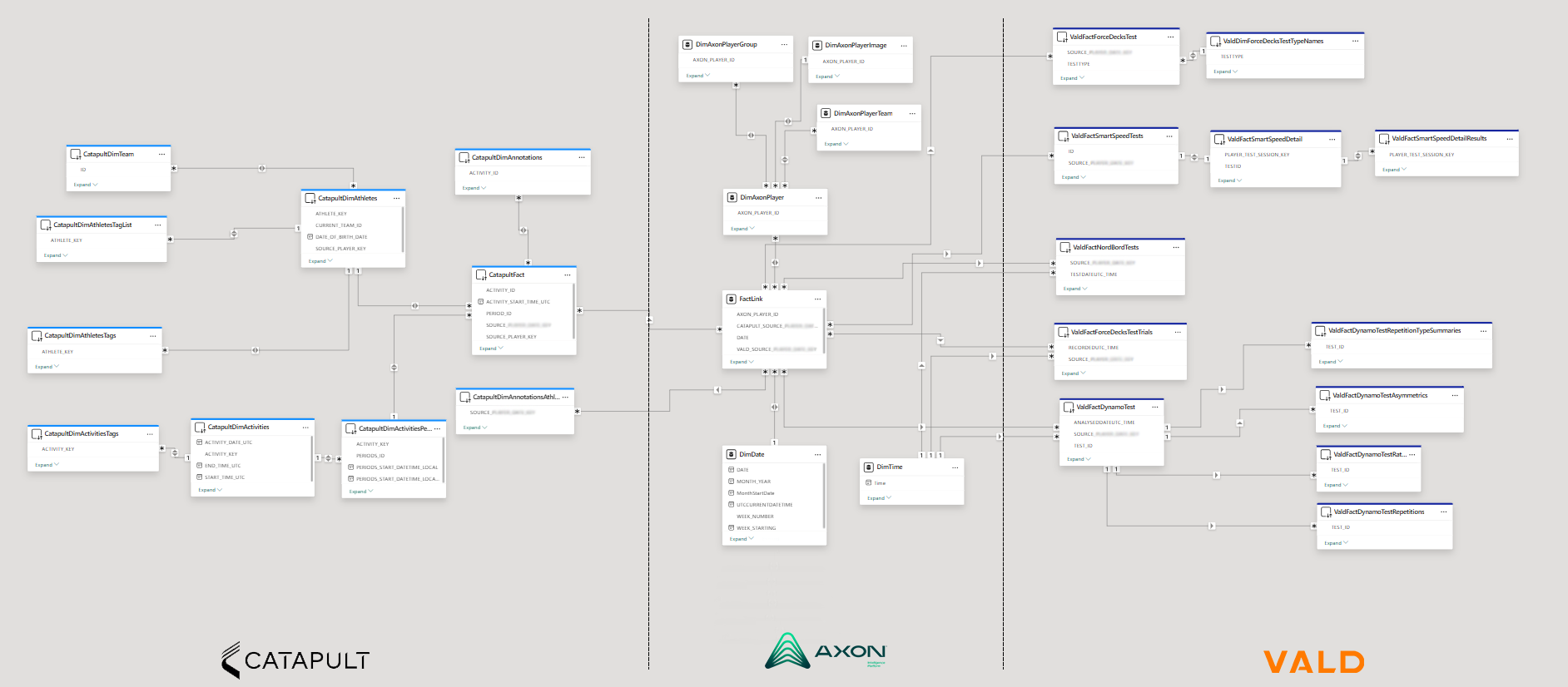
The real power of the architecture sits in the middle section, the Axon HQ data.
Axon HQ is our athlete management portal where users create athlete profiles and define the mapping for each external data source. Teams can use as many data sources as they need, and Axon HQ handles the complexity of linking them.
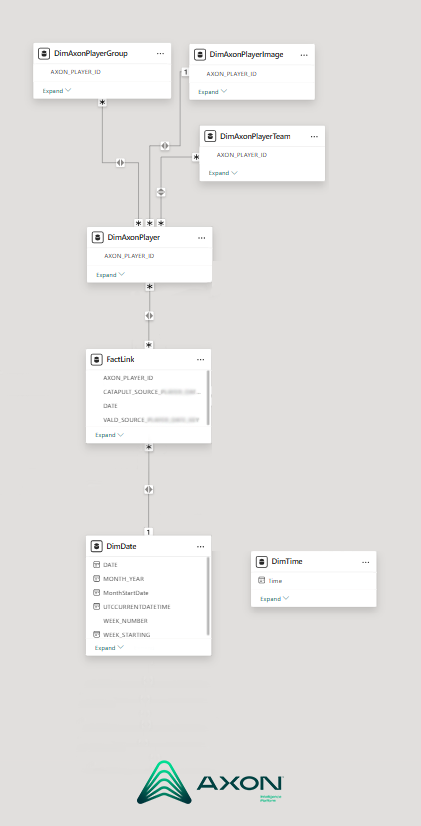
We generate several key dimensions here: Athlete, Groups, Teams, Date, and Time. Alongside these sits the FactLink table, which manages all relationships between the data sources and the metadata dimensions.
All Axon HQ tables are stored in each client’s Snowflake environment. These are loaded into Stage 3, and then joined to the external data sets through the FactLink relationships.
Along with key dimensions like Athlete, Groups, Teams, Date and Time, we also produce what we call FactLink, this table handle all of the underlying relationships between data sources and to the metadata dimensions mentioned earlier.
The Axon table shown are all built into the Snowflake database for each client, so it is at Stage 3 where we load the tables form Snowflake, then connect to the individual datasets previously created for each data source as shown in stage 2.
Stage 2: Preparing Each Data Source
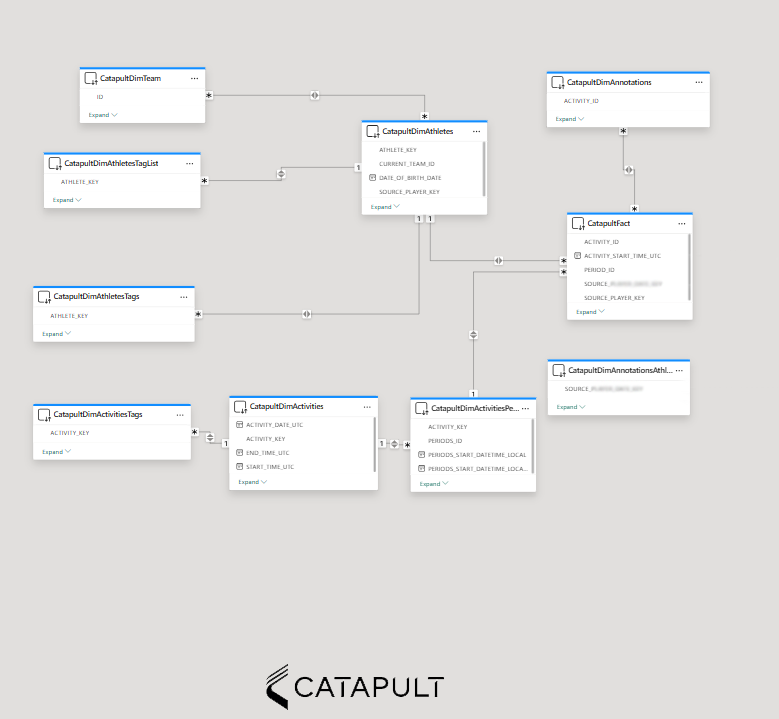
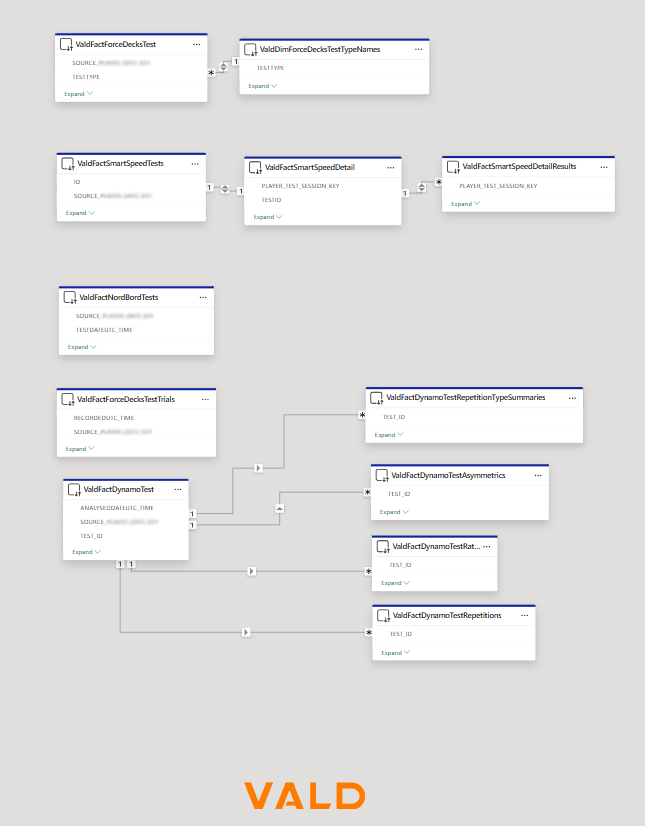
In Stage 2 we build a dataset per source. These contain the curated, modelled versions of the data that we know will connect cleanly into the FactLink structure later on. By the time they reach Stage 3, every source is aligned and ready to merge.
Each Stage 2 semantic model is intentionally kept simple — only the fields that matter for integration are included.
Stage 3: Merging Through Snowflake and DirectQuery
With the Axon tables loaded directly from Snowflake and the external datasets connected via DirectQuery, Stage 3 becomes the central hub.
Axon data Imported into Stage 3
Source data (e.g., Catapult, VALD) connected via DirectQuery
This creates a single, consistent semantic model that Stage 4 can replicate without modifications.
Handling Data Volumes at Scale
One of the biggest challenges when merging multiple data sources in Power BI is data volume. If you try to import Catapult, VALD, GPS, wellness, and internal athlete data into a single model, you’ll quickly hit the 1GB limit on Pro licences.
Our design avoids that.
Only the Axon data loads into Stage 3, while the heavier source data sets remain stored in their own semantic models. This means:
No single dataset needs to carry the entire load
Data volume scales independently per source
A model only hits the 1GB limit if that specific source does
It’s far more efficient and avoids the typical bottlenecks of multi-source reporting.
Flexible Model Building for Different Use Cases
Because Stage 3 becomes a modular merge point, you can build different downstream models simply by selecting the data sources you need.
Whether it is a Catapult + Axon model, or VALD + Catapult + Axon or you want to bring in Wellness, Wearables, Game. Anything is possible.
Final Thoughts
This staged architecture allows us to merge multiple data sources at scale limiting the risks of Power BI volume limits, while keeping the model flexible, consistent, and maintainable.
If your team is wrestling with data size, model complexity, or integrating multiple systems, feel free to reach out, I’m always happy to chat about how data can be used more efficiently and effectively.