
Release 2026.10 · October 2026
Axon HQ now has a Calendar, so the week's plan sits in the same place as availability, medical and reporting. Alongside it: a new look with more room on screen, Availability and Medical brought into one page, a Body Map question for forms, and a My Workspace area that sends athletes their own reports.
Key points
Calendar: Plan the week in HQ, with sessions colour-coded by type and filtered to a group or an individual.
Home: Today's availability and the next events on the plan, on the first page you see.
Availability and Medical on one page: Availability and Medical are now the same page, and what each user sees depends on their permissions.
Body Map question for forms: A new question type that lets athletes mark where they are sore on a front and back body map.
My Workspace: Athletes can have personalised reports sent directly to them.
Report workspaces and full screen: Report workspaces have been redesigned, and any report can now be opened full screen.
A new look, with more room: HQ has an updated theme throughout, and the left-hand menu can now be hidden.
Calendar
Plan the week in HQ, with sessions colour-coded by type and filtered to a group or an individual.
What it does
View the plan by month, week, day or as a list. Every event has a type (Training, Match / Fixture, Meeting, Medical, Recovery, Travel, Media, Commercial, Other), a location and a time zone, and events can be all day. Repeating events are set once, weekly or on chosen days, for as many weeks as you need. Events can be saved as a draft and published when the plan is signed off, and the draft count flags any that have gone past their date unpublished. Filter by membership, individual, event type or release state, or search by title or location.
Why it matters
By Wednesday the plan in the spreadsheet, the group chat and the team room whiteboard rarely agree. With the Calendar there is one version, held next to the athletes it is for. Prehab every Tuesday and Thursday goes in once, not ten times, and on tour you can view the week in home time or local time.
Where to find it
Calendar, in the left-hand menu. Calendar settings are in Settings > Calendar
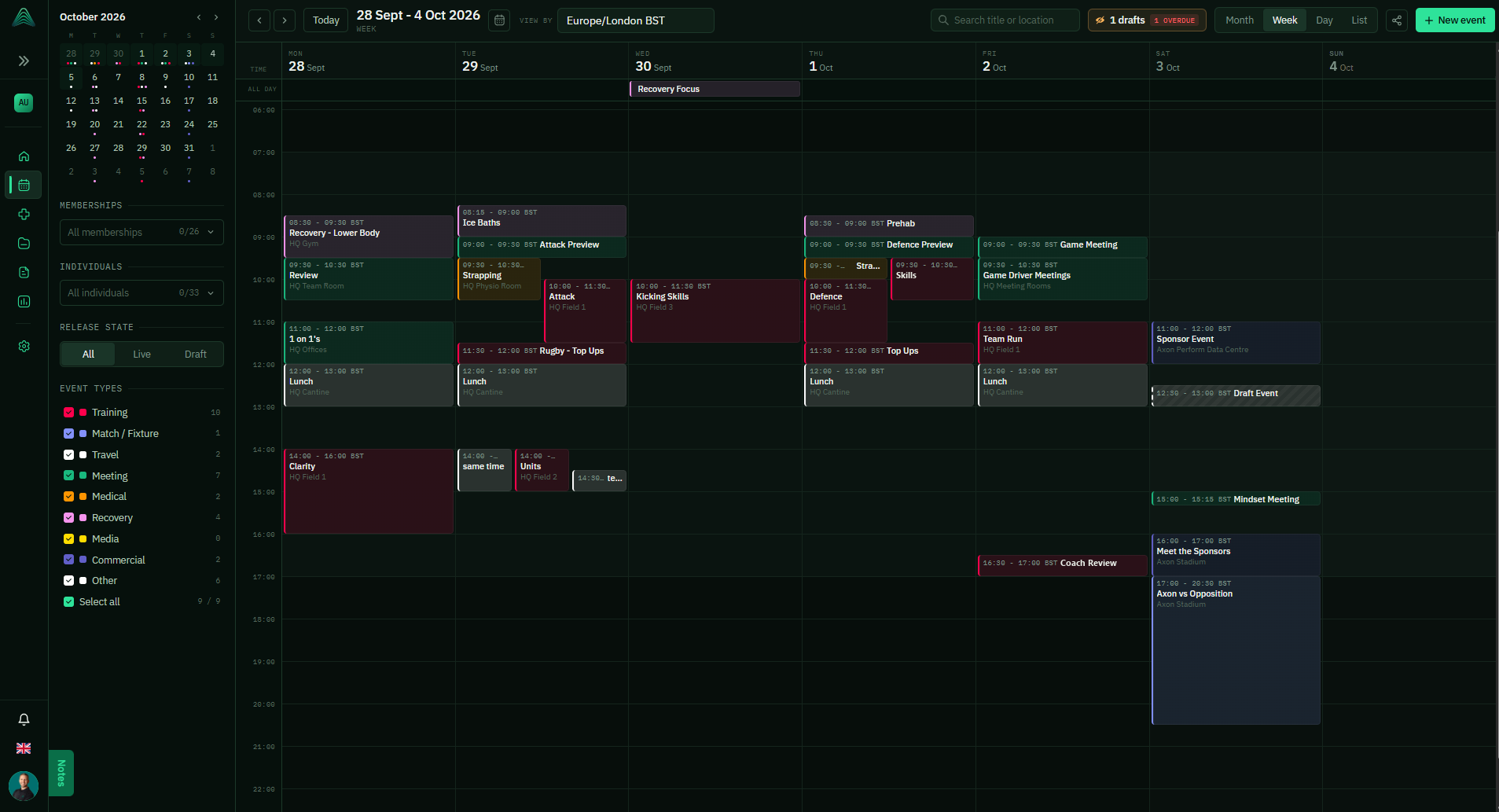
Week view, with event types, membership filters and draft state
Home
Today's availability and the next events on the plan, on the first page you see.
What it does
Home shows how many athletes are Full, Limited, Injured and Away, the upcoming events from the Calendar with a marker for the current time, and your notifications.
Why it matters
It answers the first two questions of the day, who is fit and what is on, before you have clicked anything.
Where to find it
Home, the first item in the left-hand menu
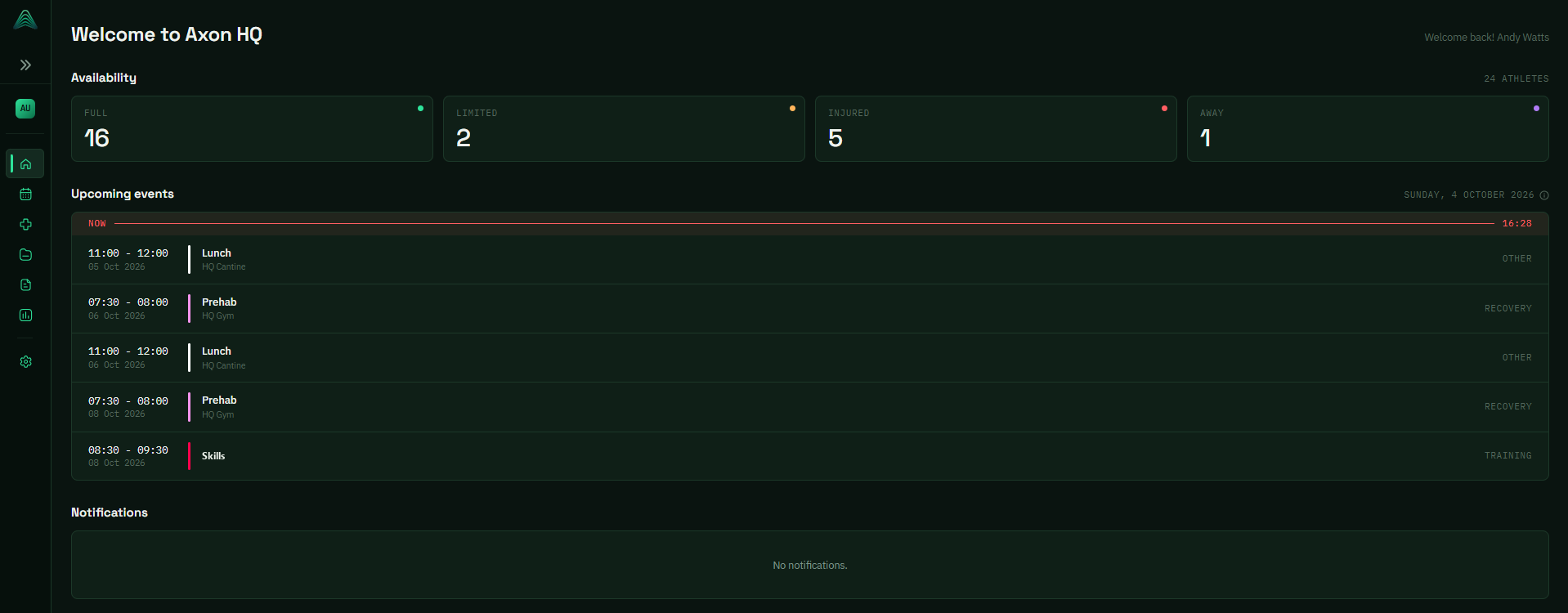
Home: availability counts, upcoming events and notifications
Availability and Medical on one page
Availability and Medical are now the same page, and what each user sees depends on their permissions.
What it does
One list covers status, current injury, date of injury, rehab week, predicted and actual return to play, your custom columns and notes. Group it by positional group, filter by group, team or status, and save the view as your default. Summary tiles across the top count Full Training, Modified Training, Injured and Away. The columns and detail a user sees are set by their permissions.
Why it matters
The medical team and the coaches work from the same list instead of one being a copy of the other. When a status changes, everyone looking at the squad sees it, at the level of detail their role allows.
Where to find it
Availability
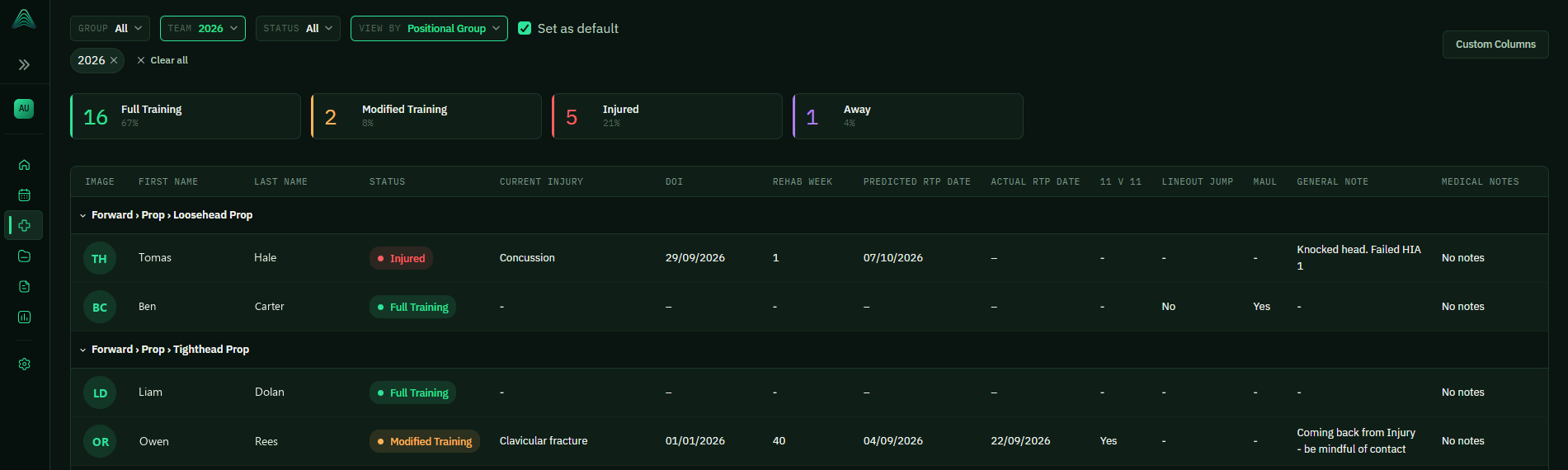
Availability and Medical, grouped by positional group
Body Map question for forms
A new question type that lets athletes mark where they are sore on a front and back body map.
What it does
Add a Body Map question to a form and athletes pick the body part, give it a score from 1 to 5 and add a comment. The completed answer shows each area coloured by score on front and back figures, with a list of each body part, its side, score and comment.
Why it matters
'Sore hamstring' in a free text box does not tell you which leg or how bad. The body map does, so the physio can see which side and how sore before the athlete walks in.
Where to find it
Build the form in Settings > Form Management. Completed answers are under Forms
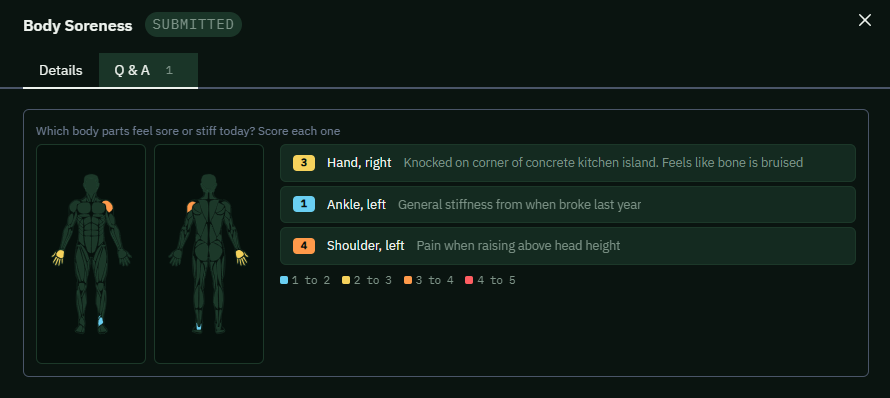
A completed Body Soreness form, using the Body Map question
My Workspace
Athletes can have personalised reports sent directly to them.
What it does
Reports now include My Workspace, so a report built for an individual athlete reaches them directly in HQ.
Why it matters
No more exporting a PDF per player on a Monday and sending it round a group chat. The athlete gets their own numbers in one place.
Where it appears
Reports > My Workspace
Report workspaces and full screen
Report workspaces have been redesigned, and any report can now be opened full screen.
What it does
Reports now open on a library, with All reports and Pinned at the top and your workspaces listed underneath, each with its own colour, icon and report count. Search across reports and workspaces, sort by most recently updated, switch between grid and list, and star the reports you use most so they sit under Pinned. Open any report and it can go full screen, which hides the rest of HQ around it.
Why it matters
Finding last week's match report no longer means remembering which workspace it went in. And full screen is for the review meeting: the report goes on the team room screen without the menus taking up space around it.
Where to find it
Reports. To go full screen, open a report and use the icon at the top right. Workspaces are managed in Settings > Reports and Workspaces
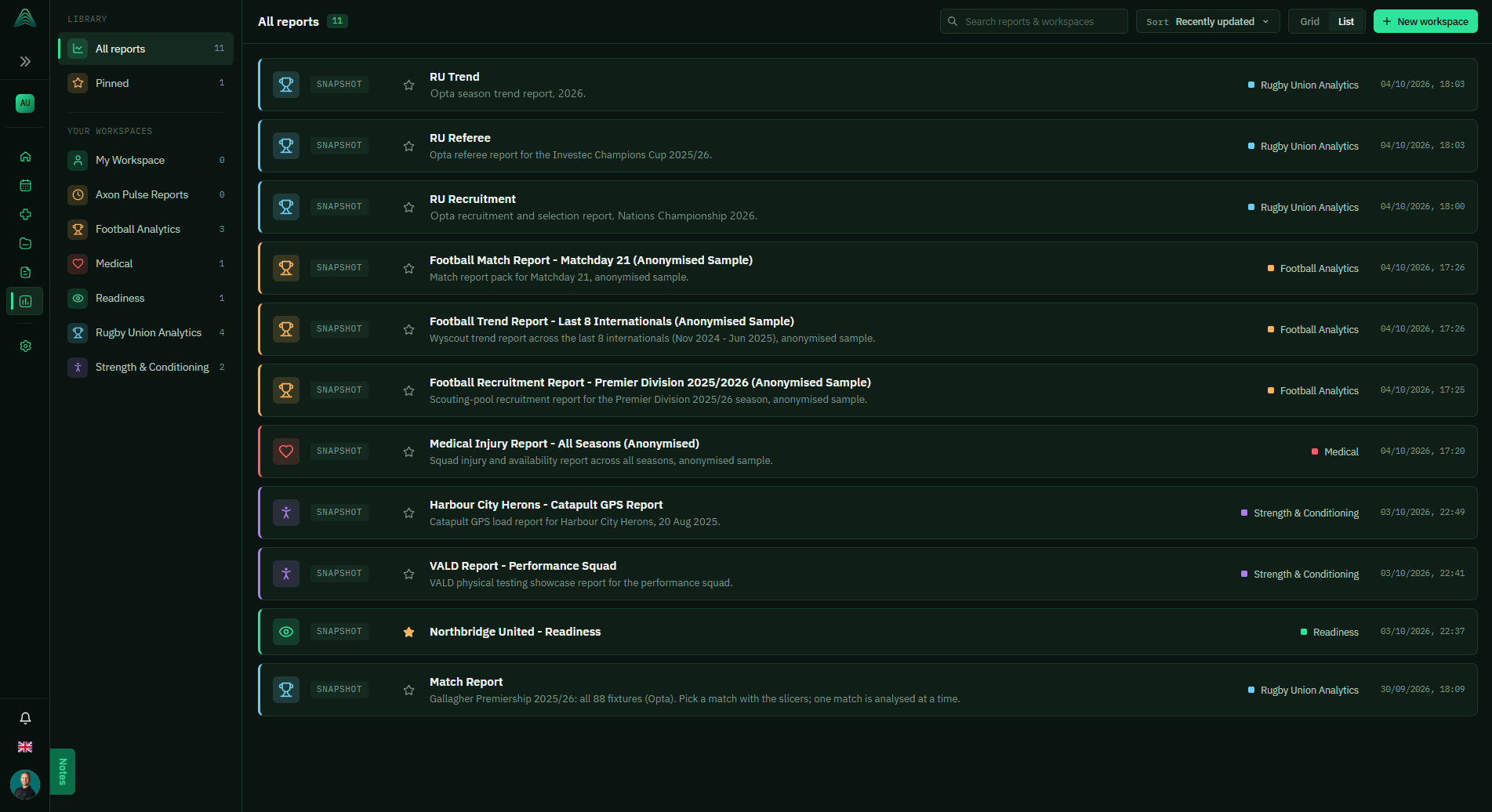
The Reports library, with pinned reports and your workspaces
A new look, with more room
HQ has an updated theme throughout, and the left-hand menu can now be hidden.
What it does
Every page has been restyled with a cleaner, more modern theme that gives more of the screen to your data. The left-hand menu can be collapsed when you need the space.
Why it matters
Wide tables like the medical list and the Calendar's week view get more columns on screen, which matters most on a laptop.
Where to find it
Throughout HQ. The arrows at the top of the left-hand menu collapse and expand it
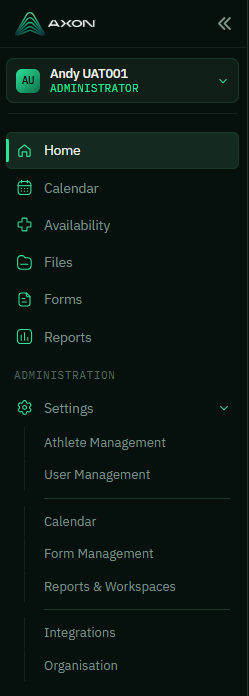
The new left-hand menu, which collapses to give the page more room
Questions about anything in this release? Email andy.watts@axonperform.com.
Andy Watts, Product Lead, Axon Perform